
You can even set your post to display at a full width so that your video will take up the whole width of your site.
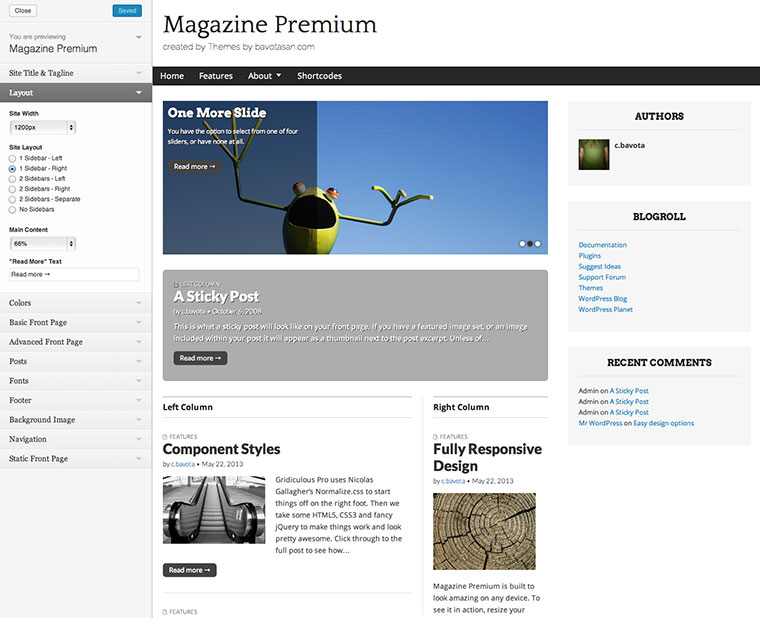
There are tons of ways to configure Magazine Premium... The possibilities are endless!
Version 1.1.8 of Magazine Premium totally takes advantage of everything WordPress 3.3 has to offer. You can now use the new admin bar to access your Magazine Premium theme options. You can also take advantage of post formats. Navigate through the demo site to see how each post format...
Read moreNow Magazine Premium allows you to customize your page title, meta description and meta keywords on every post and page. This mean better SEO and higher page ranking for your site. If you need even more SEO control and you want to use a plugin, Magazine Premium allows you...
Read moreWordPress 3.1 introduces post formats. Now your posts can be formatted differently depending on whether they’re an image, video, gallery, link, aside, audio or standard post. This allows for so much distinctions between your content. It also makes it easier to display exactly what you want on your site....
Read moreI guess you can never offer enough options, when it comes to the coolest features of a theme. That’s why I have now included three slideshow options in Magazine Premium. Now you can choose from the default slideshow, or select my Sliderota or Scrollerota slidershows.
Read moreMagazine Premium offers up to two custom menus that feature the superfish drop-down script for secondary menu items. Hover over one of the menu items above that has an arrow next to the title to see the drop-down menu in action.
Read moreYou can even set your post to display at a full width so that your video will take up the whole width of your site.

This is what a regular post will look like on your front page. If you have a featured image set, or an image included within your post it will appear as a thumbnail next to the post excerpt. Unless of course you have selected to display your post content, then the entire post will...
Read More »
This is an aside. It won’t have a title and will be displayed as a short snippet of text.
Read More »

This is a caption
If you take a look at the header and the footer, you will see two optional ad spaces available...
Read More »
And if your text is too small or too big, just change the font size accordingly. Sign in to...
Read More »

Just in case you need some extra space for your widgets, you can take advantage of the optional extended footer. It appears below the main content of every page on your site and can easily be customized by going to the Appearance panel in your wp-admin and clicking on the Widgets link. If you...

Magazine Premium offers up to two custom menus that feature the superfish drop-down script...